More than one in five college students reports having a disability, yet many institutions still treat accessibility as an afterthought. Texting, mobile platforms and accessible web tools offer practical solutions for reaching every learner.
-
SMS messages achieve 98% open rates compared to email's 27%, making text a powerful equalizer for students who struggle with traditional communication channels.
-
Accessible digital experiences remove barriers for students with disabilities while improving outcomes for first-generation and working students.
-
Web accessibility guidelines provide a roadmap for inclusive design that benefits all users, not just those with documented disabilities.
Institutions ready to support the full diversity of their student body should prioritize communication accessibility as a core strategy for student success.
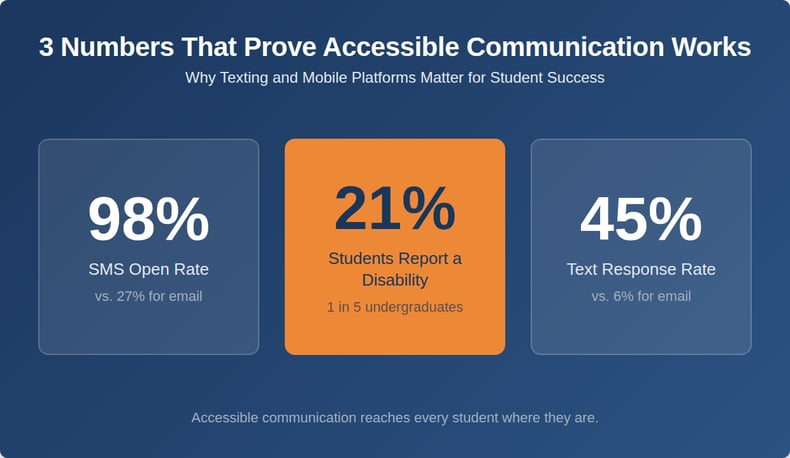
Approximately 21% of undergraduate students report having a disability as of 2020, ranging from learning differences and mental health conditions to physical and sensory impairments. Yet the systems many institutions use to communicate with students were designed without these learners in mind.
Accessibility in higher ed encompasses every touchpoint where students interact with their institution, from course registration portals to deadline reminders and financial aid notifications. When communication fails to reach students, the consequences ripple through enrollment, retention and completion rates.
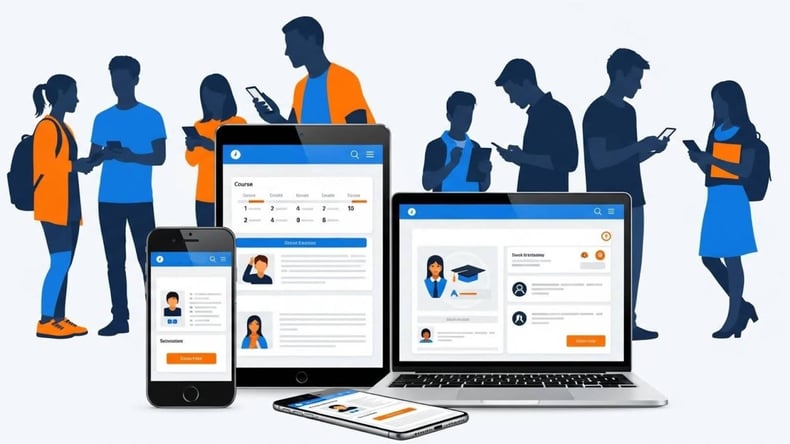
Technology has evolved to meet this challenge. Modern student engagement platforms now offer multiple channels for reaching learners, including SMS texting, mobile-optimized websites and personalized digital experiences. These tools reshape how institutions connect with students who have historically been underserved by traditional approaches. Understanding how to leverage these technologies can transform accessibility from burden to competitive advantage.
What Does Accessibility in Higher Ed Really Mean?
Accessibility in higher ed refers to the intentional design of systems, environments and communications that enable all students to participate fully in their educational experience. This includes physical, digital and communication accessibility. While federal regulations like the Americans with Disabilities Act (ADA) provide a compliance framework, true accessibility goes deeper than meeting minimum standards.
The Department of Justice's 2024 rule on Title II of the ADA requires public institutions to ensure their web content and mobile applications meet Web Content Accessibility Guidelines (WCAG) 2.1 Level AA standards by April 2026. This mandate covers everything from course materials in learning management systems to public-facing websites and mobile apps students use for registration and campus services. Private institutions receiving federal funds face similar expectations under Section 504 of the Rehabilitation Act.
However, focusing solely on compliance misses the larger opportunity. Accessible communication practices help students who may never register with a disability services office.
Who benefits when institutions prioritize clear, multi-channel communication?
-
Working parents checking deadlines between shifts
-
First-generation students unfamiliar with academic jargon
-
International students navigating language barriers
-
Learners experiencing temporary challenges like injuries or mental health crises
Why Do SMS and Mobile Communication Matter for Higher Ed Accessibility?
Email has long served as higher ed's default communication channel, but its effectiveness has declined. The average college student receives dozens of emails daily, and important institutional messages often get lost in cluttered inboxes or filtered into spam folders. For students with attention difficulties, executive function challenges or limited time, email presents a significant barrier to staying informed.
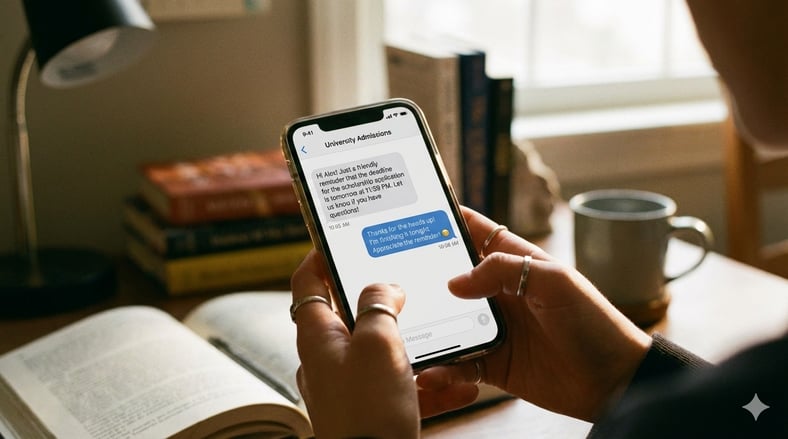
Text messaging offers a compelling alternative. SMS achieves approximately 98% open rates, with most messages read within minutes of delivery. Response rates for text hover around 45%, compared to roughly 6% for email. Many students live on their phones, and texting often feels natural rather than formal or time-consuming.
Conversational text messaging platforms designed for higher ed enable two-way dialogue between students and staff. Rather than broadcasting information into the void, institutions can engage in real conversations that address individual questions and concerns. This personalized approach proves valuable for students who hesitate to seek help through formal channels.
How Does Text Messaging Break Down Communication Barriers?
Text messaging removes several barriers that traditional communication methods create.
-
SMS does not require a smartphone or internet connection. Basic mobile phones can send and receive texts, making this channel accessible to students from low-income backgrounds who may lack consistent data plans or home internet access. Digital equity is a significant concern, but texting offers one of the most inclusive communication technologies available.
-
Text messages are inherently concise and direct. For students with learning disabilities, attention challenges or cognitive differences, lengthy emails packed with information can feel overwhelming. A well-crafted text gets straight to the point: "FAFSA deadline is Friday at midnight. Need help? Reply YES for a callback." This clarity benefits everyone while proving essential for students who process information differently.
-
Texting meets students in moments when they can actually respond. A working student on break can quickly text a response to a question. A parent managing childcare can confirm an appointment without logging into a portal. This flexibility transforms communication from a burden into a seamless part of daily life.
What Do Web Accessibility Guidelines Mean for Student Communication?
Web accessibility guidelines establish technical standards for making digital content usable by people with disabilities. WCAG 2.1 Level AA, the standard referenced in current federal regulations, addresses perceivability, operability, understandability and robustness of web content.
In practical terms, this means ensuring:
-
Text can be read by screen readers
-
Videos include captions
-
Interactive elements work with keyboard navigation
-
Color contrast meets minimum thresholds
For student communication, these guidelines translate into tangible design decisions.
-
An accessible course catalog allows a blind student using a screen reader to navigate program requirements independently.
-
Captioned video announcements ensure deaf students receive the same information as their hearing peers.
-
Properly structured headings help students with cognitive disabilities scan content efficiently.
Every accommodation improves the experience for all users while proving essential for those who need it most.
Institutions should view web accessibility guidelines as a foundation rather than a ceiling. Meeting WCAG standards represents baseline competency, but innovative approaches to student engagement push beyond compliance toward genuine inclusivity. This means designing experiences that anticipate diverse needs from the start rather than retrofitting accessibility as an afterthought.
How Can Institutions Create Inclusive Digital Touchpoints?
Creating inclusive digital touchpoints requires attention to both technical compliance and user experience design. Accessible course catalogs should allow students to search, filter and compare programs using multiple input methods. Mobile-responsive design ensures students can access critical information regardless of device. Personalized portals that surface relevant deadlines and next steps reduce the cognitive load on students trying to navigate complex systems.
When student information flows seamlessly between the registrar's office, financial aid, academic advising and communication platforms, students spend less time hunting for information across disconnected portals. This coherence benefits students with executive function challenges who struggle with task-switching and information management. Improving the overall student experience requires thinking holistically about how learners move through institutional systems.
Personalized communication is another frontier in accessible design. Rather than sending identical messages to all students, sophisticated platforms can tailor content based on individual circumstances.
-
A first-generation student might receive additional context explaining unfamiliar processes.
-
A student approaching a deadline might receive escalating reminders.
-
A student at risk of stopping out might receive proactive outreach with support resources.
Personalization makes communication more accessible by ensuring relevance and reducing noise.
Which Students Benefit Most from Accessible Communication Tools?
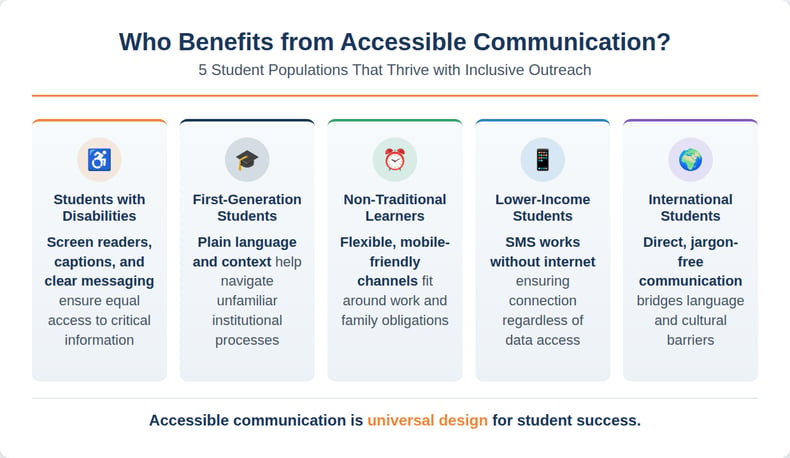
While accessibility improvements benefit everyone, certain student populations experience significant gains when institutions invest in inclusive communication strategies:
-
Students with disabilities gain independence and equity when communication channels accommodate their needs. This includes:
-
Students with visual impairments who rely on screen readers
-
Deaf students who need captioned content
-
Students with learning disabilities who benefit from clear and concise messaging
-
Students with mental health conditions who may struggle with overwhelming information loads
-
-
First-generation college students often lack the institutional knowledge that continuing-generation students inherit from family members. Accessible communication that uses plain language and provides context helps these students navigate unfamiliar processes without feeling lost or intimidated.
-
Non-traditional and adult learners frequently balance education with work, family and other obligations. Communication tools that respect their time by delivering relevant information through convenient channels help these students stay engaged despite competing demands.
-
Students from low-income backgrounds may face technology access challenges that limit their ability to engage with email or web-based portals. SMS texting and mobile-optimized experiences ensure these students remain connected even with limited data plans or older devices.
-
International students navigating language and cultural differences benefit from clear, direct communication that avoids idioms and jargon. Multi-channel approaches also accommodate different time zones and communication preferences.
How Can Institutions Build an Accessibility-First Communication Strategy?
Building an accessibility-first communication strategy requires commitment at multiple levels. Leadership must articulate accessibility as a core value rather than a compliance obligation. Staff across departments need training on accessible design principles and inclusive communication practices. Technology investments should prioritize platforms that build accessibility into their foundations rather than treating it as an add-on feature.
Start by auditing current communication channels and identifying gaps. Ask questions that reveal opportunities for improvement and help prioritize investments:
-
Where do students fall through the cracks?
-
Which populations are least likely to respond to outreach?
-
What feedback have disability services offices received about communication barriers?
Next, consider the entire student journey from inquiry through alumni engagement.
-
Prospective students researching programs online need accessible web experiences that showcase your institution.
-
Enrolled students need multiple channels for receiving critical information about deadlines, requirements and support services.
-
Graduates benefit from continued connection through accessible alumni communications.
What Key Features Should Accessible Communication Platforms Include?
Integration with student information systems enables personalized outreach based on individual circumstances. Multi-channel delivery options ensure students can receive information through their preferred methods. Compliance with WCAG standards protects institutions legally while ensuring usability for students with disabilities.
Two-way communication capabilities matter for accessibility. Students should be able to ask questions, request clarification and engage in dialogue rather than simply receiving broadcast messages. This interactive approach accommodates students who need additional support while respecting the independence of those who do not.
Analytics and reporting features help institutions measure the effectiveness of their communication strategies across different populations. If response rates differ between student groups, that data reveals accessibility gaps requiring attention. Continuous improvement depends on visibility into what works and what doesn't.
Frequently Asked Questions
What is accessibility in higher education? Accessibility in higher ed refers to designing systems, environments and communications that enable all students to participate fully in their educational experience. This includes:
-
Physical accessibility of campus spaces
-
Digital accessibility of websites and applications
-
Communication accessibility that ensures information reaches students through channels they can use effectively
How does texting improve accessibility for students? Texting improves accessibility by providing a direct communication channel that does not require internet access, works on basic mobile phones and delivers concise messages that are easier to process than lengthy emails. SMS achieves higher open and response rates than email, making it especially effective for reaching students who struggle with traditional communication methods.
What are web accessibility guidelines? Web accessibility guidelines, specifically WCAG (Web Content Accessibility Guidelines), are technical standards that ensure digital content is usable by people with disabilities. WCAG 2.1 Level AA, the current standard for higher education compliance, addresses requirements to make web experiences accessible to all users like:
-
Screen reader compatibility
-
Video captioning
-
Keyboard navigation
-
Color contrast
Building a More Inclusive Future for Every Learner
Accessibility in higher ed is ultimately about removing barriers that prevent students from succeeding. When institutions invest in texting platforms that reach students directly, mobile experiences that work on any device and web tools designed with inclusivity in mind, they create environments where every learner can thrive.
This work benefits not only students with documented disabilities but also the growing population of non-traditional, first-generation and underserved students who represent higher education's future.
Technology alone can't solve accessibility challenges, but the right tools make inclusive communication scalable and sustainable. Modern Campus provides institutions with solutions designed to support the entire learner-to-earner lifecycle, including conversational text messaging that achieves remarkable engagement rates while meeting diverse student needs.
To explore how these tools can transform your institution's approach to accessibility, schedule a demo today.
Last updated: March 2, 2026