A successful higher education website redesign is a strategic project, not a visual refresh, and the institutions that plan for governance, accessibility and scalability up front are the ones that launch sites built to last.
- Start with measurable goals and a content audit so every design decision traces back to a real outcome.
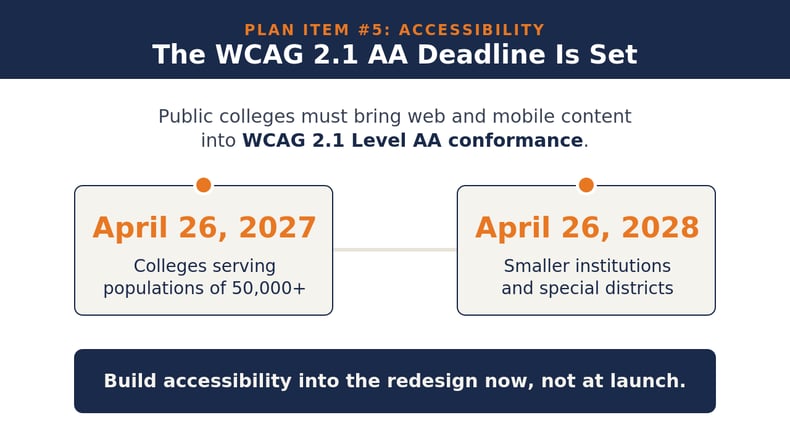
- Accessibility is now a federal requirement: public colleges must meet WCAG 2.1 Level AA, with compliance deadlines of April 26, 2027 and April 26, 2028.
- Your CMS is the most consequential technical decision in the project, shaping publishing workflows and how well the site scales over time.
- Web governance keeps a redesign from unraveling, turning written policy into permissions and workflows that the platform enforces.
A redesign is the foundation for serving learners for years to come, so build the checklist before building the site.
A higher education website redesign is one of the largest digital projects an institution will take on, and it's rarely just about a fresh coat of paint. An institution’s website is the front door for prospective students, the catalog for current ones, the application portal and the public face of the brand all at once. The goal is a digital experience built for higher education that serves every audience interacting with the site. A rushed redesign can create content debt and accessibility gaps while allowing the brand to drift, leaving problems that take another redesign to fix.
In a recent audit of the web's top one million home pages, 95.9% had detected WCAG 2 failures, a reminder that the majority of sites launch with problems already baked in. A redesign is the best chance to break that pattern instead of repeating it.
There's a deeper reason to plan carefully: the audience for higher ed websites has changed. The Modern Learner moves in and out of education throughout their life, gaining experience, building skills, earning credentials and evolving their path as their goals change, rather than following a single, linear journey from school to career. A website has to support discovery and re-engagement for many audiences at many stages instead of a single first-time enrollment. A redesign is an institution’s opportunity to shift from a site built around a one-time student lifecycle to one built for a continuous modern learner journey.
When Is It Time for a Higher Education Website Redesign?
Most institutions land on a major redesign every five to seven years, with smaller component updates in between. The calendar matters less than the signals. A higher education website redesign earns its budget when the current site actively works against an institution’s goals, and those warning signs tend to fall into two buckets.
Is Your Site Failing the People Who Use It?
If prospective students can't find program details, costs or application steps in a few clicks, the site is leaking interest every day. Poor performance and confusing navigation push visitors toward institutions that make the journey easier. Accessibility adds real urgency here. Following a 2026 extension, larger public colleges must comply with federal web standards by April 26, 2027, while smaller institutions have until April 26, 2028.
Is Your Platform Holding Your Team Back?
A redesign is also overdue when the content management system (CMS) creates friction for staff instead of supporting them. When routine page changes depend on IT and branding becomes difficult to control across departments, the problem is structural, not editorial. These are the moments when a refresh on the same system stops paying off and a deeper rebuild becomes the higher-return path. Our complete redesign guide breaks down how to weigh that decision in detail.
Who Should Be Involved in a University Website Redesign?
A university website redesign fails fast when it's treated as a marketing-only project. The website spans dozens of departments and serves audiences with competing needs, so the people who own those needs have to be at the table from the start. Naming stakeholders early prevents the late-stage negotiations that stretch timelines and inflate budgets.
The core groups to involve include:
- Marketing and communications, who own the brand, tone and the conversion paths that turn visitors into inquiries.
- IT and CIOs, who own hosting, security, integrations and the technical realities behind every feature request.
- Registrars, provosts and academic leaders, who care about program and catalog accuracy across hundreds of pages that change every term.
- Accessibility and disability services, who keep compliance from becoming a launch-day scramble.
- Senior leadership, whose support ensures governance holds after launch.

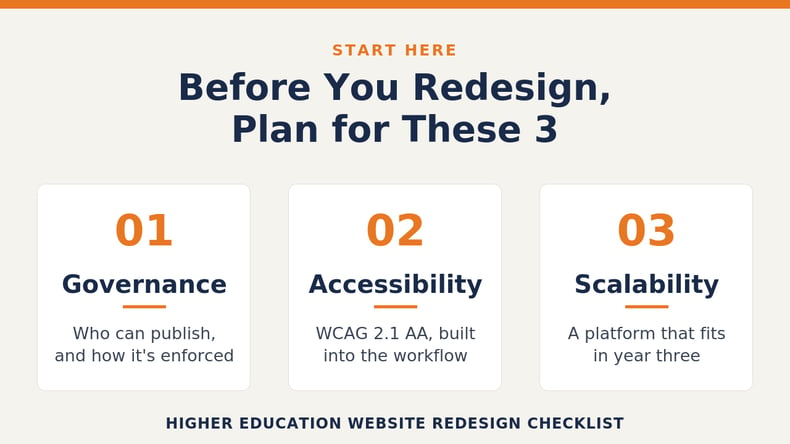
The connective tissue across all of them is governance. Defining clear decision rights and workflows before design starts keeps a multi-team project from turning into a multi-team standoff.
What Does a Higher Education Website Redesign Checklist Include?
A strong checklist forces the unglamorous decisions to the front, where they're cheap to make, instead of the end, where they're expensive to retrofit. Use these 10 items to pressure-test the redesign plan before anyone opens a design tool. Each one maps to a place where higher education website redesign projects commonly stall.
- Set measurable goals before the design begins. Vague ambitions like "modernize the brand" are impossible to evaluate and easy to argue about. Replace them with concrete targets like increasing program inquiries by a set percentage or cutting time-to-publish from weeks to days. Every later decision should trace back to one of these goals.
- Audit existing content and structure. Before anything moves, it's important to know what exists, what performs and what's dead weight. A content inventory surfaces outdated pages, broken links and orphaned PDFs that would otherwise migrate straight into a shiny new site. This is also where teams can map the questions real users ask, so the new structure answers them.
- Map stakeholders and decision rights. Document who owns the brand, who owns security, who owns program content and who arbitrates when those interests collide. Writing this down early turns every future disagreement into a quick reference instead of a meeting. Ambiguity here could blow a timeline.
- Evaluate the CMS honestly. The platform determines who can publish, how fast and with what guardrails, so choosing it late is one of the fastest ways to send a project spiraling. Test every option against the realities of higher ed: catalogs, program data, decentralized teams and accessibility by default. Our guide on how to evaluate a CMS for higher ed lays out a four-pillar framework for the comparison.
- Build accessibility in from the start. Public colleges and universities must bring web content and mobile apps into conformance with WCAG 2.1 Level AA, and that obligation carries firm deadlines. Bolting accessibility on at the end guarantees rework, so look for a platform that bakes accessibility into the publishing workflow with automated WCAG checks, enforced alt text and color-contrast validation. Compliance built into the process is far cheaper than remediation under pressure.
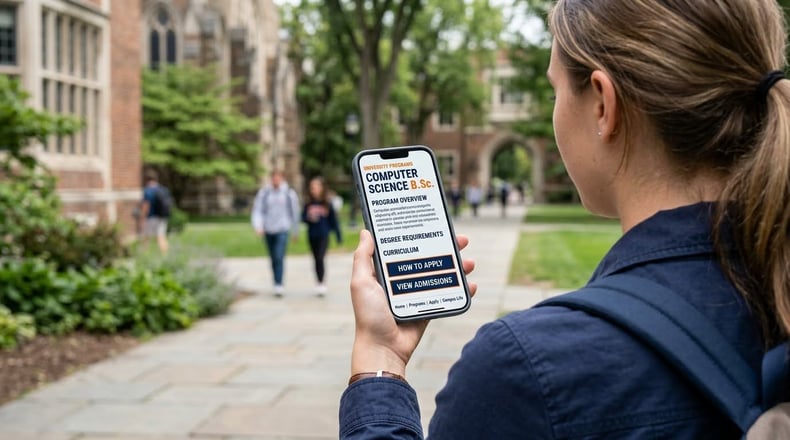
- Plan a mobile-first, modern experience. Most prospective students research colleges and universities on a phone, so website modernization has to start with a fast, responsive mobile experience. A modern experience also means structured content and intelligent search that keep sprawling academic information coherent. Design for the smallest screen first, and the rest tends to follow.
- Design a content migration and redirect plan. A CMS migration is where SEO rankings disappear if no one builds a redirect map. Every retired URL needs a logical new destination, and content that already ranks well should be preserved rather than rewritten on a whim. Plan the migration as its own workstream. Treating it as an afterthought is how launches break.
- Establish web governance for launch and beyond. Launch day is not the finish line. A website is a living product that reverts to chaos within months without governance. Codify editorial processes and platform guardrails so the system enforces institutional standards instead of relying on memory. Good governance keeps a beautiful launch beautiful a year later.
- Plan for personalization and integrations. The website has to connect cleanly to SIS, CRM, catalog and communication tools, or it becomes another silo. Personalization creates different content paths for learners at every stage, without months of custom development. The goal is a coherent journey, not a collection of disconnected pages. Explore this resource to learn how to put this approach into action in Modern Campus CMS.
- Build for long-term scalability. The real value of a redesign accrues over years of editing, governance and integration, so ask every vendor how their platform handles year three rather than just launch day. Weigh the total cost of ownership honestly, including the staff time spent maintaining workarounds. A platform that scales with you is the difference between refreshing components and replatforming all over again.
What Common Mistakes Should Institutions Avoid?
The most expensive redesign mistakes share a root cause: moving into design before the foundational decisions are made. Watching for these patterns helps prevent both delays and budget overruns.
- Redesigning the visuals without fixing the content model. A modern look on top of an old, broken structure is a building repainted on a cracked foundation.
- Choosing a CMS too late. Platform decisions made after design lock institutions into workarounds that can linger for years.
- Treating accessibility as a launch-day checkbox. Compliance has to live in the workflow, not in a final audit that no one has time to act on.
- Skipping the redirect plan during a CMS migration. Lost URLs mean lost rankings, and that traffic is hard to win back.
Higher Education Website Redesign FAQs
How often should a university redesign its website? Most institutions plan a major redesign every five to seven years, paired with continuous component updates in between. When the platform supports modular design, institutions can often extend that cycle by refreshing individual components rather than starting over.
Is a CMS migration necessary during a website redesign? Not always. If the current platform creates accessibility barriers or limits publishing capabilities, replacing it is usually the higher-return path. If it can support the institution’s current and future needs, a redesign within the same system is perfectly valid.
How long does a higher education website redesign take? A focused redesign with a clear CMS strategy launches in three to six months, while large institutions often phase departmental sites over 12 to 24 months. Phased launches reduce risk and let central teams refine governance before scaling.
How do you protect SEO during a CMS migration? Build a redirect map early so every retired URL points to a logical new destination. Preserve high-performing content and essential SEO elements, then monitor for crawl errors in the weeks after launch.
Ready to Build a Site That Serves Learners for Life?
A redesign is the moment to align your website with how learning actually happens now. True website modernization is about serving learners across a journey that no longer runs in a straight line. The right plan helps your institution do four things well across the journey: Discover, helping prospective learners find you; Plan, creating operations that run without friction; Engage, using communication that keeps people on track; and Evolve, re-engaging learners as their goals change. Those are the institutional imperatives a modern site has to support, and a checklist is how you make sure none of them slip.
Modern Campus partners with institutions to support learners across the full journey, from discovery through lifelong learning, with a CMS built specifically for higher education. To start planning a redesign that lasts, book a personalized demo and see how the right platform supports your team at every stage.
Last updated: August 12, 2026
.png)
.png)